'%3e%3cpath%20fill-rule='evenodd'%20clip-rule='evenodd'%20d='M33%2033H1V1H33V33Z'%20fill='white'/%3e%3cpath%20fill-rule='evenodd'%20clip-rule='evenodd'%20d='M33%2033H1V17H33V33Z'%20fill='%23DC143C'/%3e%3c/g%3e%3crect%20x='0.5'%20y='0.5'%20width='33'%20height='33'%20rx='16.5'%20stroke='black'%20stroke-opacity='0.1'/%3e%3cdefs%3e%3cclipPath%20id='clip0_37449_250459'%3e%3crect%20x='1'%20y='1'%20width='32'%20height='32'%20rx='16'%20fill='white'/%3e%3c/clipPath%3e%3c/defs%3e%3c/svg%3e)

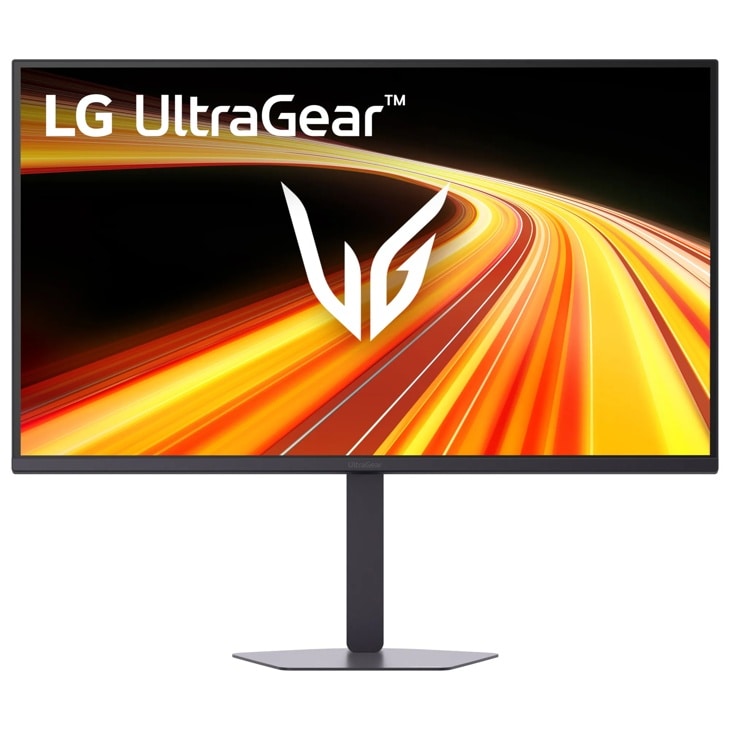

For those who value smooth motion and color accuracy above all else, the 32-inch QHD gaming display delivers fluid 200Hz refresh, 1ms response, and HDR10 with up to 99% sRGB. LG UltraGear G6 Monitor fills a desk roughly the combined width of three letter-size sheets laid side-by-side, offering an immersive view without overwhelming a single-monitor workspace.
⚡ At a Glance
- • Image Quality: QHD clarity with HDR10 and up to 99% sRGB delivers vivid tones and crisp detail for games and sRGB content
- • Best suited to: Competitive gamers who want ultra-smooth 200Hz refresh, low input lag, and features that improve target tracking
- • Overkill for: Professional colorists working in DCI-P3 or Adobe RGB workflows; relying on 99% sRGB will produce out-of-gamut hues and inaccurate print or broadcast matches
A 32-inch QHD panel tuned for fast-paced play, combining 200Hz refresh, 1ms (GtG) response, and adaptive-sync compatibility. Ideal for gamers who also edit sRGB content but not for wide-gamut color critical work.
📋 Technical Details at a Glance
- Screen size: 32-inch diagonal (about the combined width of three letter-size pages laid side-by-side)
- Resolution: QHD
- Refresh rate: 200Hz
- Response time: 1ms (GtG)
- HDR: HDR10
The 200Hz Advantage in Detail
A 200Hz refresh rate paired with a 1ms Gray-to-Gray response reduces visible blur and motion smear, while NVIDIA G-SYNC compatibility and AMD FreeSync Premium cut tearing and stutter. Dynamic Action Sync lowers input lag so on-screen actions register closer to the moment you press a key or click.
Competitive play becomes noticeably smoother, and fast target tracking stays sharper during rapid camera pans. Keep in mind that to reach high frame rates at QHD you'll need a capable GPU, so lower-end graphics cards will not fully utilize the 200Hz ceiling.
How 99% sRGB Changes Color Work
HDR10 support and up to 99% coverage of the sRGB gamut deliver bright highlights and faithful hues for web content and most streaming workflows. Black Stabilizer brightens shadow detail so dark scenes reveal more information without increasing overall brightness.
Content created for standard sRGB profiles will appear accurate and punchy on this panel, which benefits streamers and hobbyist editors. If you are a professional colorist working in Adobe RGB or DCI-P3, the 99% sRGB coverage will misrepresent critical tones and require a wider-gamut reference monitor or hardware calibration as a workaround.
✨ The Tested Highlights of the LG UltraGear G6 Monitor
- 1ms Response Time – Keeps fast-moving objects sharp for clearer target tracking
- NVIDIA G-SYNC + FreeSync Premium – Eliminates tearing and reduces perceived stutter during high-frame play
- Crosshair Overlay – Adds a persistent center aim point for quicker target acquisition in FPS matches
- Black Stabilizer – Brightens shadowed areas so enemies and details are easier to spot
❓ Frequently Asked Questions
Q: What does Black Stabilizer do in gameplay?
A: Black Stabilizer brightens darker portions of the image so shadow detail and hidden opponents become more visible. Pro-tip: Increase Black Stabilizer gradually rather than maxing it out, to avoid flattening midtones and losing natural contrast.
Q: How does the Crosshair overlay work for FPS games?
A: Crosshair adds a center-screen aim marker to aid precision when a game's reticle is inconsistent or hidden. Pro-tip: Use the overlay only in unranked or practice sessions, since built-in overlays may be restricted in competitive tournament settings.
🏆 Our Verdict
The UltraGear G6 Monitor suits competitive gamers who also handle sRGB editing and streaming work. The bezel width and tilt-stable stand create a focused viewing window that feels planted during quick mouse movements, a tactile reassurance not revealed by specs alone. The combination of high refresh, fast response, and gaming-focused controls justifies the investment for frequent players and hobby creators who need both speed and reliable color in everyday use.